
Verification Officer guide
How Revamp Verification Officers take document checks and business visits, decide them, protect users' privacy and get paid.
As a Verification Officer you check that people and businesses on Revamp are who they say they are. Each check is either a document check or a business visit.
On this page
Find work
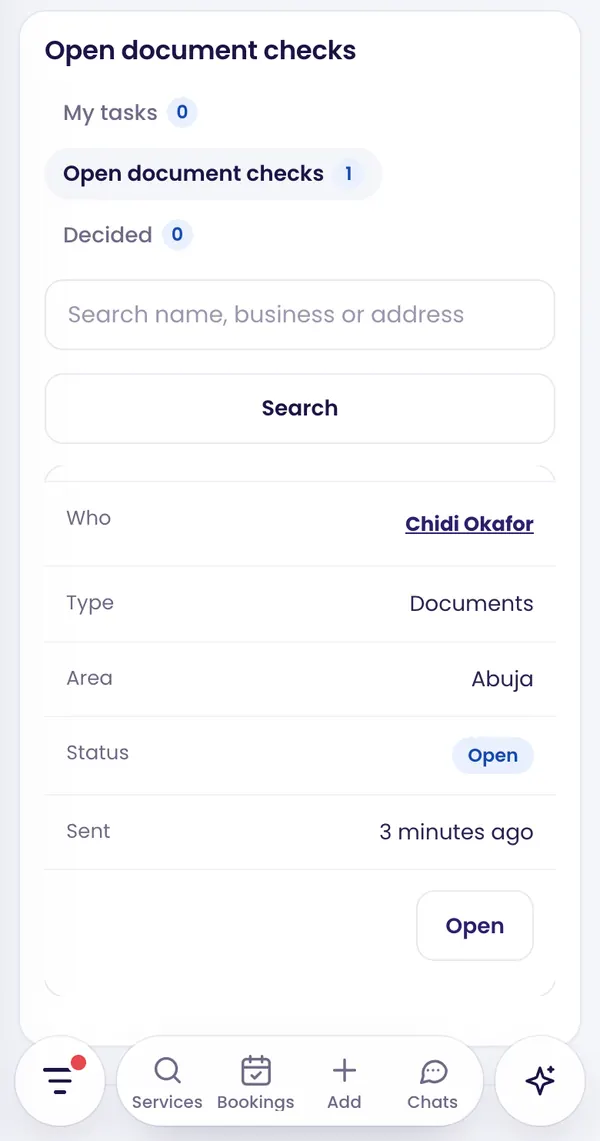
In the Hub, open Verification. There are three tabs:
- Open document checks: requests in your areas that nobody has taken yet.
- My tasks: checks you took, and visits Revamp assigned to you.
- Decided: your past decisions.
Search by name, business or address, and filter by type.
Do a document check
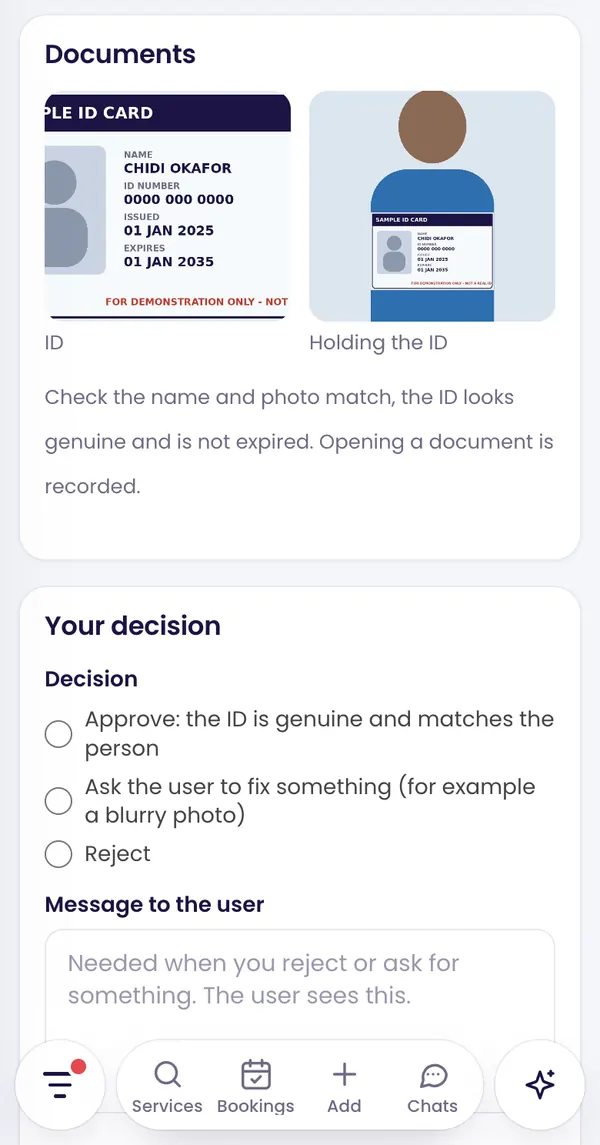
- Open a request and tap Take this check. The documents only open after you take it.
- Check that the name matches the ID, the photo of the person holding the ID matches, and the ID looks genuine and is not expired.
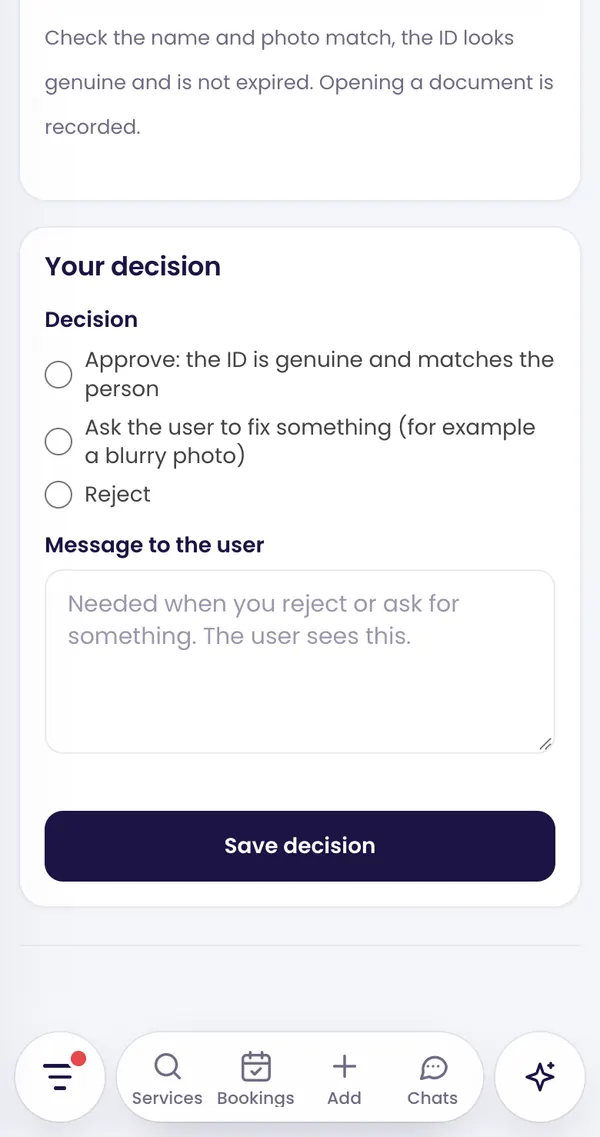
- Choose a decision: Approve, Ask the user to fix something (for example a blurry photo) or Reject.
- When you reject or ask for something, write a short message. The user sees it.
- Tap Save decision.
Cannot finish it? Tap Hand back to return it to the open list.
Do a business visit
Revamp assigns visits to you; you usually have 3 days. At the business:
- Show your Revamp ID card.
- Tap Record my location while you are at the business. It is required to approve or reject a visit.
- Add at least one photo of the premises (shop front or signboard), up to 4.
- Choose Approve: the business is real and at this address, ask for a fix, or reject, and save.
Your first decisions
A new officer’s first 5 decisions, and any decision made during probation, are confirmed by Revamp before they count. If Revamp overturns a decision, it does not earn.
Privacy rules
- Every time you open a document it is recorded.
- Never download, screenshot or share ID photos.
- You cannot verify yourself, anyone you onboarded, or anyone outside your areas.
- ID photos are deleted 90 days after the decision. Visit photos are kept as proof.
How you earn
You earn a set amount for each final decision, approve or reject: one rate for document checks and another for visits. Revamp sets both. Earnings appear under Earnings.
Guide 10 of 13 · See all guides · FAQ
Still need help?
Search the help centre, or talk to a real person on the Revamp team. Customer care is open 24/7.
