
Onboarding Officer guide
How Revamp Onboarding Officers register a worker or business, share the set-up link, track who has paid and earn on the first package.
As an Onboarding Officer you bring businesses onto Revamp. You register them in a few minutes, they set a password and pick their own package, and you earn when they pay.
On this page
Before you start
- You need an area assigned to you. If the Hub says no area is assigned, ask your regional manager.
- Stand at the business, so you can record the location and take photos.
- You never choose a package for the worker. They pick their own.
Onboard a worker
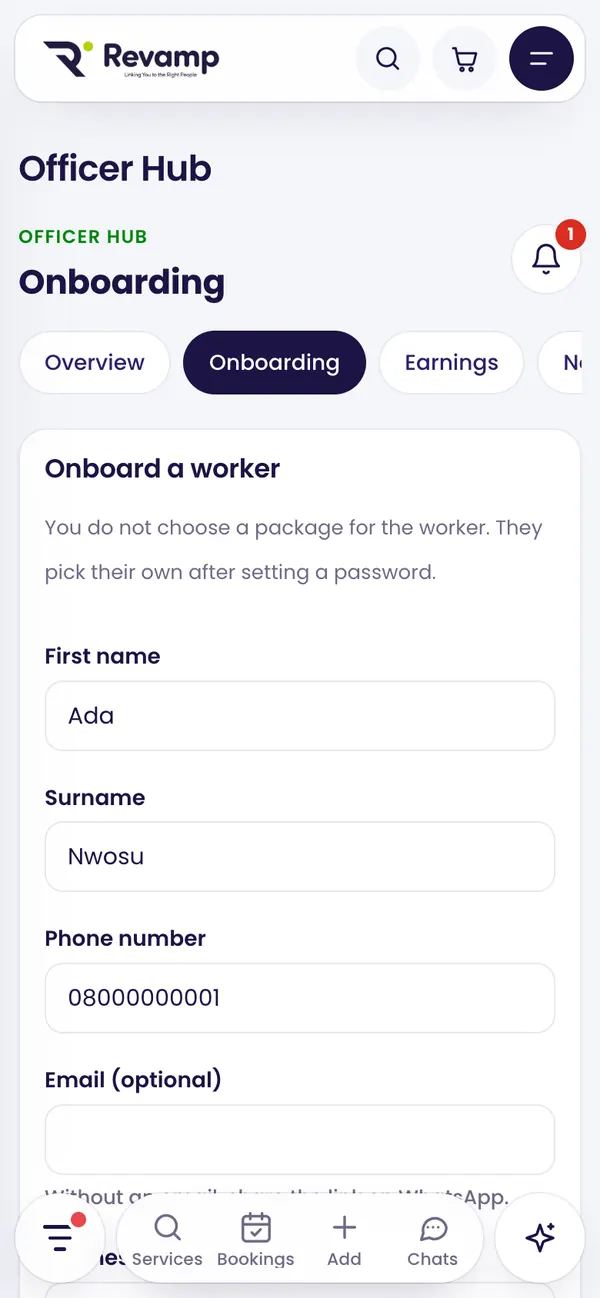
- In the Hub, open Onboarding and tap + Onboard a worker.
- Enter their first name, surname and phone number. Email is optional; without it you share the link on WhatsApp.
- Add the business or trade name, category and area (only areas you cover), and a landmark if it helps.
- Tap Use my current location while standing at the business, and add up to 3 photos of the business.
- Tap Onboard worker.
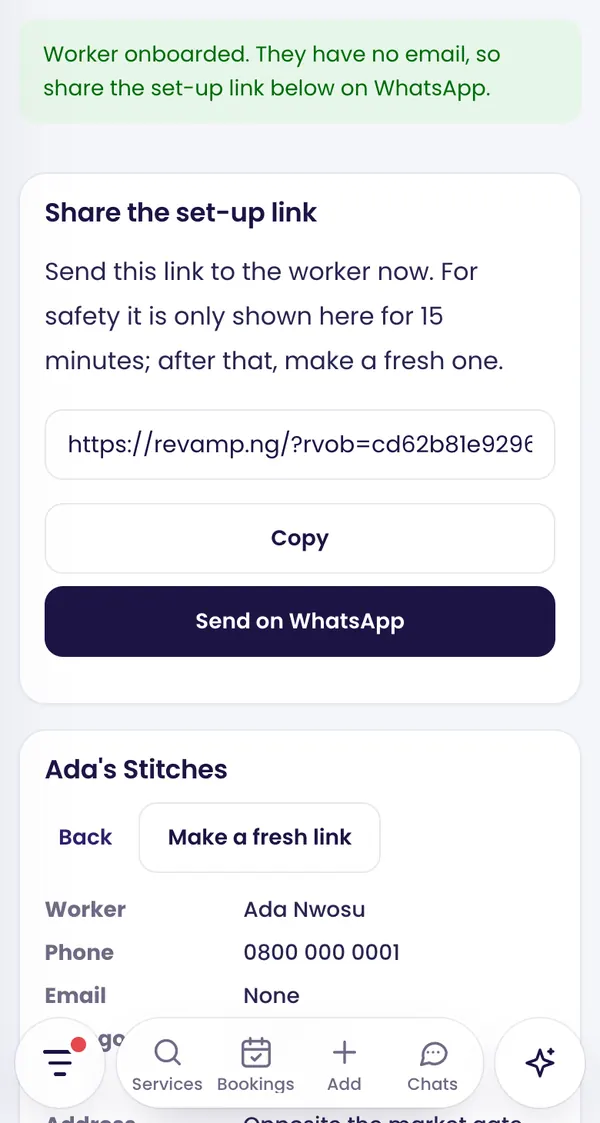
Share the set-up link
Revamp creates the worker’s account with a password nobody knows, and emails them a set-up link if they have an email. You can also Copy it or tap Send on WhatsApp.
For safety the link is shown to you for 15 minutes only. Send it straight away. After that, open the worker and tap Make a fresh link.
The link works for 7 days and stops working once the worker pays. When they open it, they choose a password and go to the pricing page to pick their package.
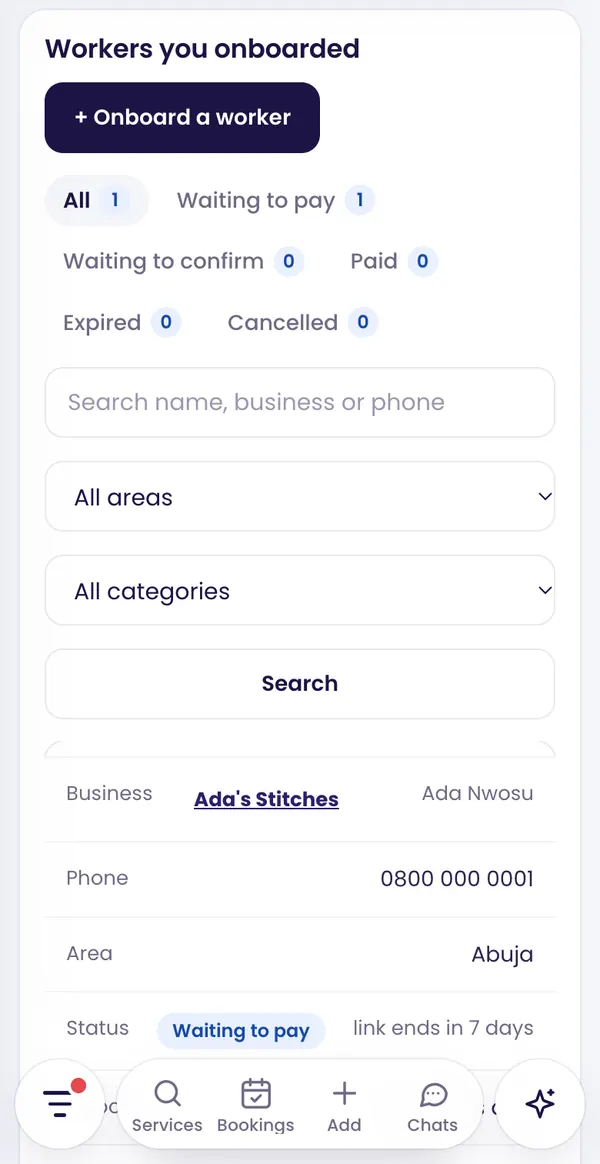
Track your workers
Workers you onboarded lists everyone, with search and filters by status, area and category:
- Waiting to pay: the account is ready; the worker has not bought a package yet. Tap Email a reminder or make a fresh link.
- Paid: the first package is paid and you have earned.
- Link expired: make a fresh link.
- Waiting to confirm: an existing account holder still has to confirm you helped them.
- Cancelled: you cancelled it (the worker keeps their account).
Someone who already has an account
You cannot take over an existing account. Tick Ask them to confirm and Revamp sends the account holder a request. Once they sign in and confirm, the worker is counted as yours. If they already paid for a package before, there is no first-package earning.
How you earn
- You earn when the worker pays for their first package online. Renewals and later purchases do not pay the Onboarding Officer.
- Revamp sets the amount: either a flat amount or a percentage of what Revamp earns on that package.
- If the payment is fully refunded or cancelled, the earning is reversed.
- Earnings appear under Earnings.
Rules
- First officer wins: the same phone or email cannot be onboarded twice.
- You cannot onboard yourself, and only in your own areas.
- There is a daily limit on new onboardings.
- Every action is recorded.
Guide 9 of 13 · See all guides · FAQ
Still need help?
Search the help centre, or talk to a real person on the Revamp team. Customer care is open 24/7.
