
The Officer Hub: your home as an officer
Where Revamp officers find their tasks, notifications, messages from Revamp, officer code and earnings, on phone or computer.
The Officer Hub is where every Revamp officer works: Onboarding, Verification and Trade Facilitation. You use your normal Revamp login.
Open the Hub
- Sign in to revamp.ng with your normal account.
- On a phone, open the menu and tap Officer Hub. On a computer, find it in your dashboard menu under Officer, or in your account menu at the top.
- You can also go straight to revamp.ng/officer.
You only see the Hub once Revamp has given you an officer role. If it says “This area is for Revamp officers”, contact Revamp support.
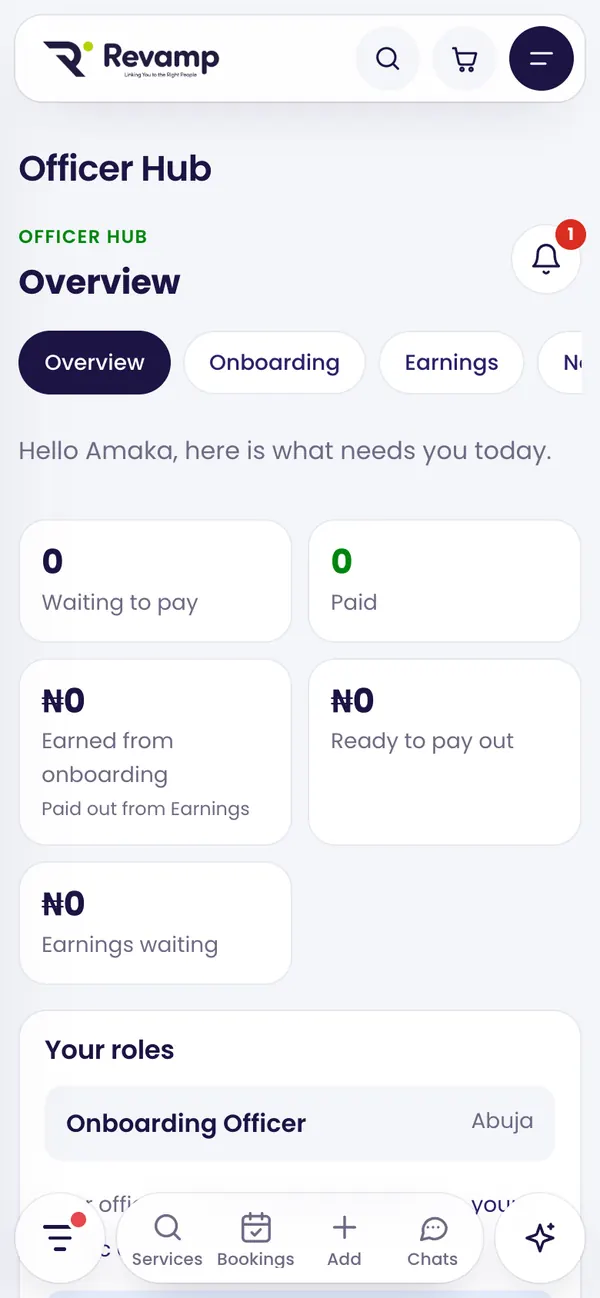
What is on the overview
- What needs you today: counts and shortcuts for each of your roles.
- Your roles and the areas you cover. One person can hold more than one role.
- Your officer code and a link to your public check page. Customers use it to confirm you are real.
- Messages from Revamp and your latest notifications.
Notifications
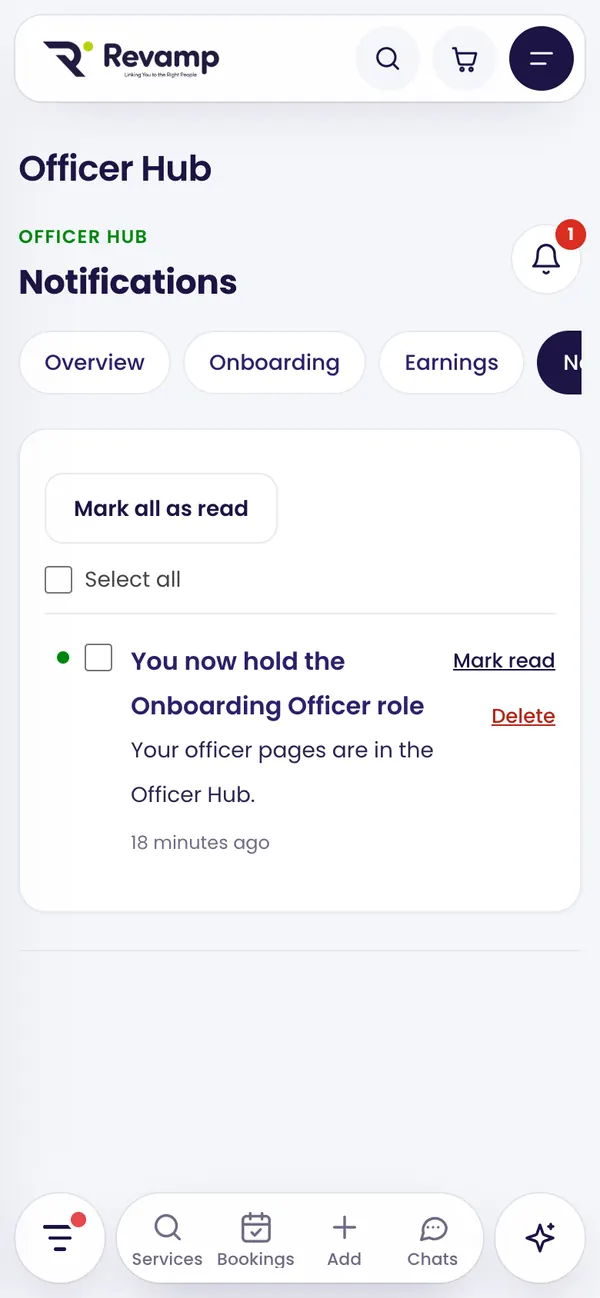
New tasks and updates show in Notifications and on the bell. Mark them read, select several to delete, or delete all read ones.
Probation
New officers start with a short probation period. Your work and earnings still count; payouts open when probation ends. The date shows on your overview.
If your role changes
- Paused: you cannot use your officer pages until Revamp reinstates you.
- Ended or expired: earnings you already made are kept.
Guide 8 of 13 · See all guides · FAQ
Still need help?
Search the help centre, or talk to a real person on the Revamp team. Customer care is open 24/7.
