
Payments, fees and Rewards
How paying on Revamp works: Paystack and Pay After Service, what sellers pay, Revamp's commission, and how Revamp Rewards are earned and used.
A plain-language summary of how money moves on Revamp. The full rules are in Payments and Fees.
On this page
For customers
- Pay online through Paystack by card, bank transfer or USSD, or use Pay After Service where the listing offers it.
- Customers do not pay Revamp a separate fee unless it is clearly shown at checkout.
- Prices are in Naira (₦).
For sellers
- Listing packages are paid upfront. The price, length and features are shown before you buy.
- Commission: Revamp takes a commission on each completed job or sale through the platform. The rate is shown in your dashboard before you accept a job.
- For online payments the commission comes off before your payout. For Pay After Service jobs you owe the commission to Revamp.
Revamp Rewards
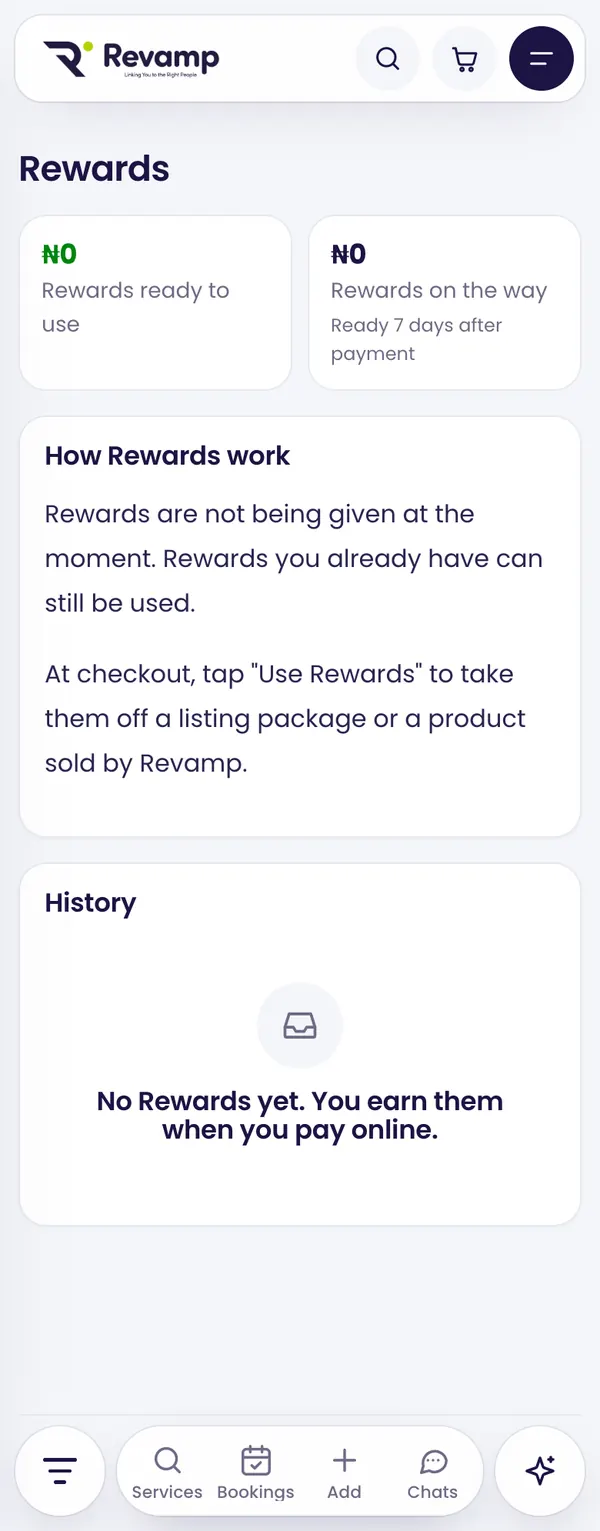
When Rewards are switched on, you earn them every time you pay online on Revamp. They are a share of what Revamp earns on your order, and they become ready a few days after payment.
- Pay for an order online.
- Your Rewards show as on the way, then ready. See them in Rewards in your dashboard menu.
- At checkout, tap Use Rewards to take them off a listing package or a product sold by Revamp.
Rewards can only be used when everything in your cart is sold by Revamp itself (listing packages and Revamp’s own products), so vendors always get their full amount. Rewards do not expire. If an order is refunded, its Rewards are taken back.
Refunds
Online payments that are refunded go back to the original payment method through Paystack. For Pay After Service, the refund has to come from the provider, and Revamp helps if there is a dispute. Details are in the Refund and Returns Policy and Payments and Fees.
Guide 3 of 13 · See all guides · FAQ
Still need help?
Search the help centre, or talk to a real person on the Revamp team. Customer care is open 24/7.
