
Get the Verified badge
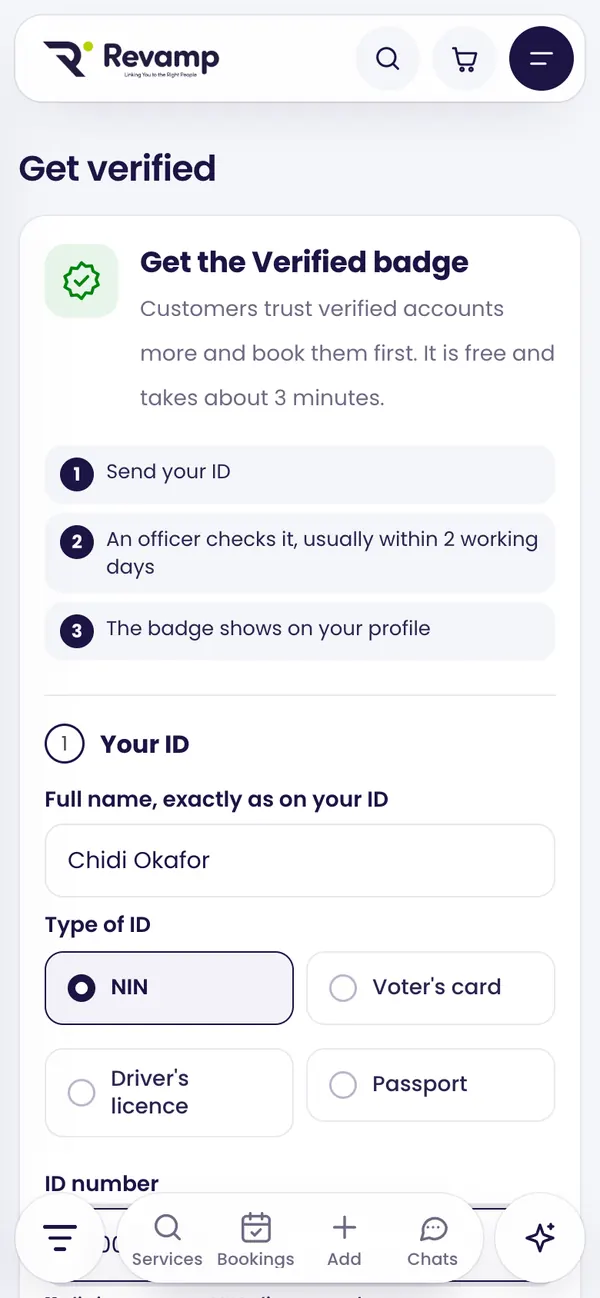
Send your ID on the Get verified page and a Revamp Verification Officer checks it, usually within 2 working days. Free, about 3 minutes.
Customers trust verified accounts more and book them first. Getting verified is free and takes about 3 minutes.
What you need
- One ID: NIN, voter’s card, driver’s licence or international passport.
- A clear photo of the ID (front side, all 4 corners showing).
- A photo of you holding the ID, with your face and the ID both clear.
- Optional: your CAC certificate, and a photo of your shop front or signboard.
Use good light, avoid flash glare and keep the ID flat.
Send your request
- Sign in and open Get verified (also in your dashboard menu).
- Type your full name exactly as it is on your ID, choose the ID type and enter the number.
- Add the photos, and choose which listing should show the badge (or just your account).
- Have a shop or workshop? When business visits are open, you also see Also ask for a visit: tick it and add your address, and an officer will come to your business.
- Tap Send for verification.
What happens next
- Waiting for an officer: an officer in your area will take your request, usually within 2 working days.
- Being checked: the officer is looking at your documents, or will visit your business. They carry a Revamp ID you can check on our website.
- Update needed: the officer asked you to fix something, such as a blurry photo. Send only what was asked.
- Verified: the badge shows on your profile and listing.
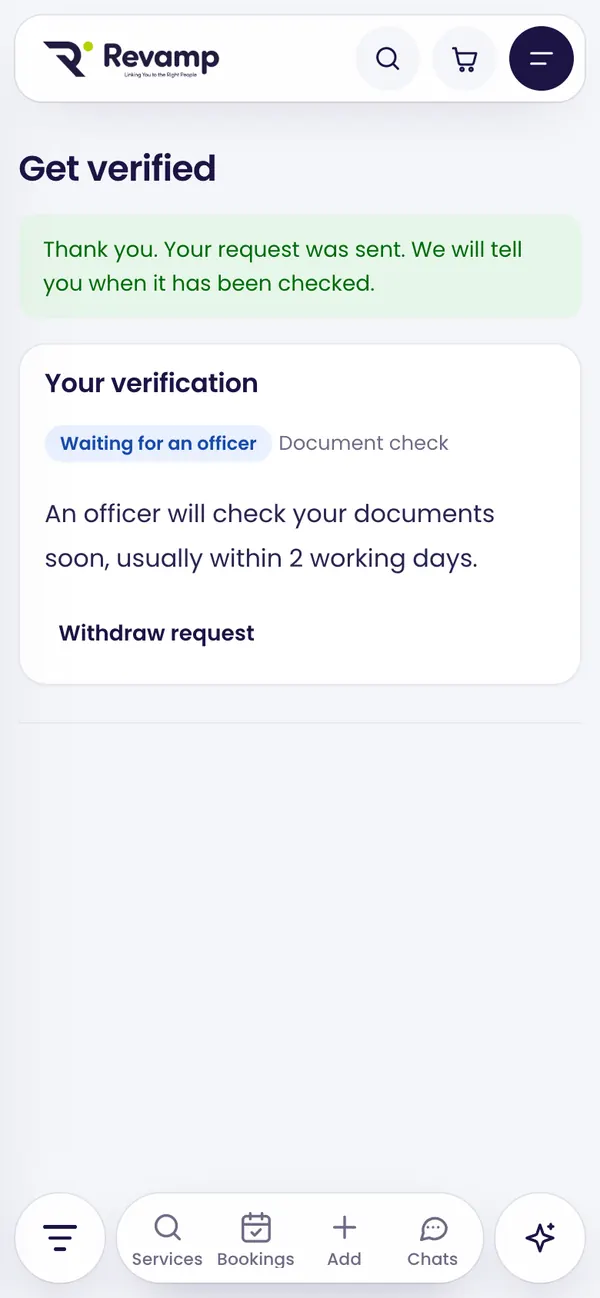
Your privacy
Your ID photos are stored privately. Only the officer checking them and Revamp staff can open them, every view is recorded, and they are deleted after the check. Revamp keeps only the last 4 characters of your ID number.
Revamp may require sellers to get verified within a set number of days. If that applies to you, you will see a banner with the date. Listings of unverified accounts are hidden after the date until the check is approved; nothing is deleted.
Guide 6 of 13 · See all guides · FAQ
Still need help?
Search the help centre, or talk to a real person on the Revamp team. Customer care is open 24/7.
