
Start selling on Revamp
Create your account, choose a listing package, publish your first listing or shop, and get your first customers on Revamp.
Whether you offer a service or sell products, here is how to get your business live on Revamp.
On this page
1. Create your account
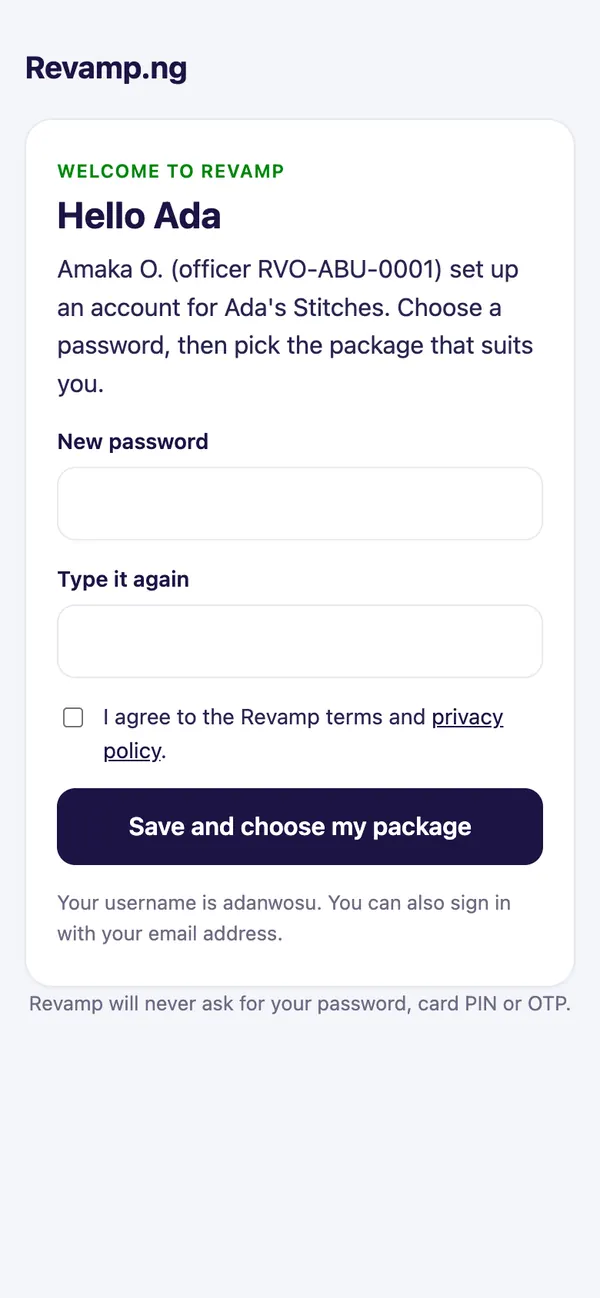
Sign up for free, or let an Onboarding Officer set it up for you. If an officer registered you, you get a set-up link by email or WhatsApp: open it, choose a password and you are in.
The set-up link works for 7 days. If it expired, ask the officer who visited you for a fresh one. Your details are saved.
2. Choose a package
Open the pricing page and pick the package that suits you. You choose your own package; an officer never chooses for you. Pay online with Paystack and your package starts at once.
3. Add your listing or shop
- Go to your dashboard and tap Add a listing.
- Add clear photos, a short description, your prices, your area and opening hours.
- Publish. Customers can now find and book you.
Selling products? Set up your store from the store dashboard and add products with photos and prices.
4. Build trust
- Get the Verified badge. Customers book verified sellers first.
- Ask happy customers to leave a review.
- Post a short video of your work to Reels.
Need help doing it?
If you are busy or not confident online, ask for a Trade Facilitator. They can set up and look after your listings for you. See Get a Trade Facilitator to help you.
Guide 5 of 13 · See all guides · FAQ
Still need help?
Search the help centre, or talk to a real person on the Revamp team. Customer care is open 24/7.
